What’s new
- My work: one queue of everything waiting on the counselling team30-Aug-2026
Pending meeting requests, LOR requests, opportunity-completion claims and Lakshya points claims — across every student, oldest first, with a live count on the sidebar. Each row opens the student page where the decision is actually made; nothing is decided on the queue itself.
- Career Pathways Survey responses are in the app14-Aug-2026
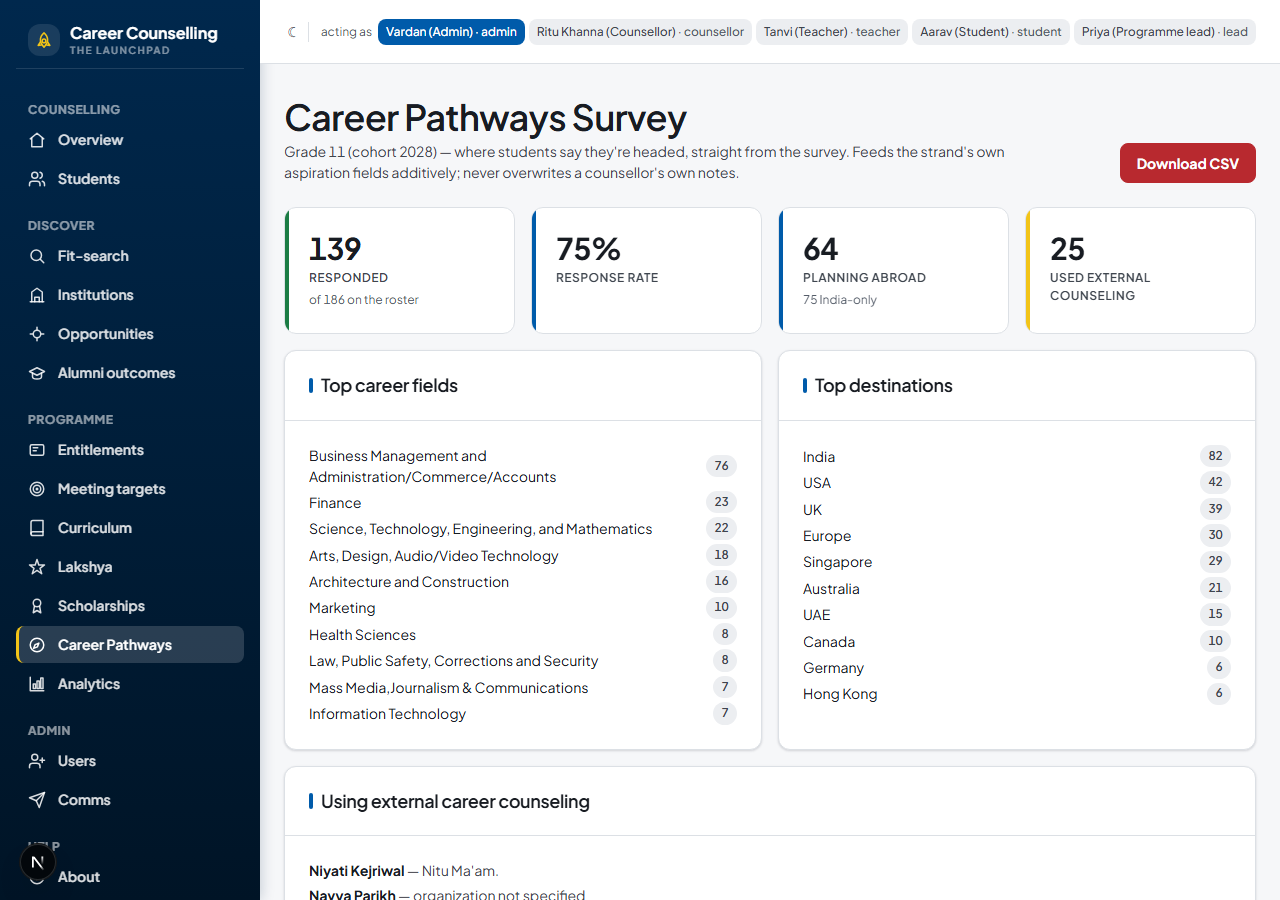
The live Google Form’s answers for this year’s Grade 11 (139 of 186 students so far) now feed the strand’s aspiration fields automatically, and counsellors get a proper report at Career Pathways — top fields, top destinations, who’s using outside counseling, and a CSV export.
- Recommendation letters: writer roles, Summer School, UK References13-Aug-2026
A letter can now be teacher- or counsellor-written, cover a Summer School application (not just university), or be the UK’s single-reference format — each with its own slot cap. Students fill in a self-assessment before anyone starts writing.
- Scholarships: counsellors can add and nominate, students can self-add to direct ones13-Aug-2026
The write layer the page always promised. School-nominated and university-specific scholarships stay counsellor-initiated (slot-limited); a student can add themselves only to a “direct” scholarship, onto their own strand.
- Psychometric reports: upload, and the figures extract themselves13-Aug-2026
Upload a results PDF under a student’s Psychometrics tab; recognised formats (including the Career-Cluster interest profile) have their figures pulled out automatically, shown next to the original file so the reading can always be checked.
- Comms: real email and calendar invites, opportunities newsletter, LOR reminders12-Aug-2026
The app can now actually send — staff-only this phase. Every attempt (sent, failed, or refused) lands in the Comms outbox so “did the invite go out” is answered from the app, not someone’s inbox.
- Meeting targets (Cadence) went live12-Aug-2026
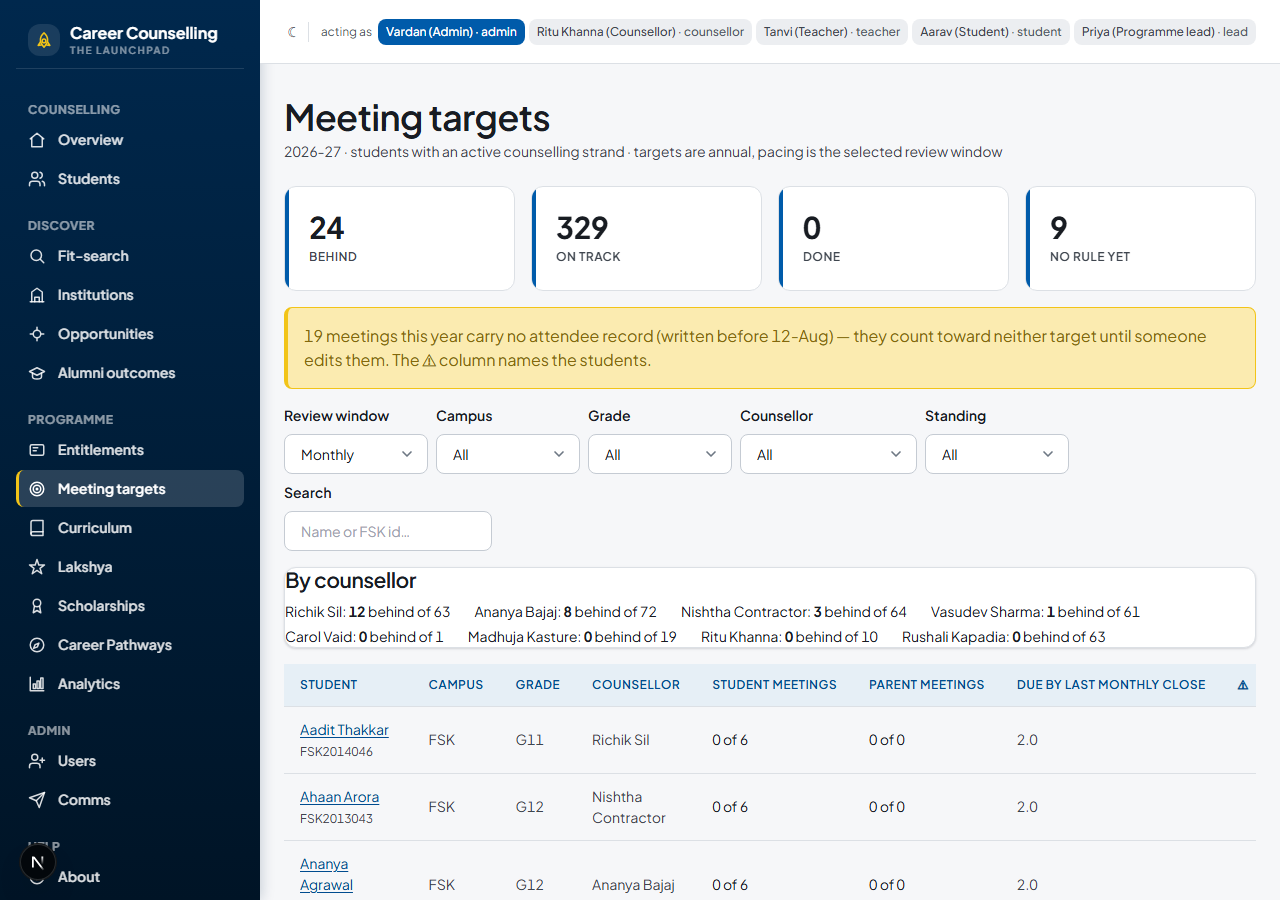
The team’s own promised meeting frequency, as data: every strand-holding student shown as behind / on track / done, with per-student overrides for a genuine exception.
- Opportunities, goals, and the LOR request workflow, end to end12-Aug-2026
The shared summer-school/competition catalog opened to every student; meeting-agreed goals became a first-class record; requesting a recommendation letter turned into a real workflow instead of a side conversation.
- The whole counselling programme moved into the app01-Aug-2026
Entitlements, the counsellor allocation spine, curriculum templates and group sessions, Lakshya (the selective track), and the parent’s read-only view all landed in one push.
- The counselling process itself started living in the app, not just the record31-Jul-2026
From Class of 2026 onward, applying/offers/rejections get entered here as they happen, using the same multi-offer system built for the alumni archive — the spreadsheet stops being the destination.
How to use Launchpad
Written for a counsellor opening this for the first time — each section below is a feature area, the steps to actually use it, and a real screenshot of the screen it describes.
Find or open a student
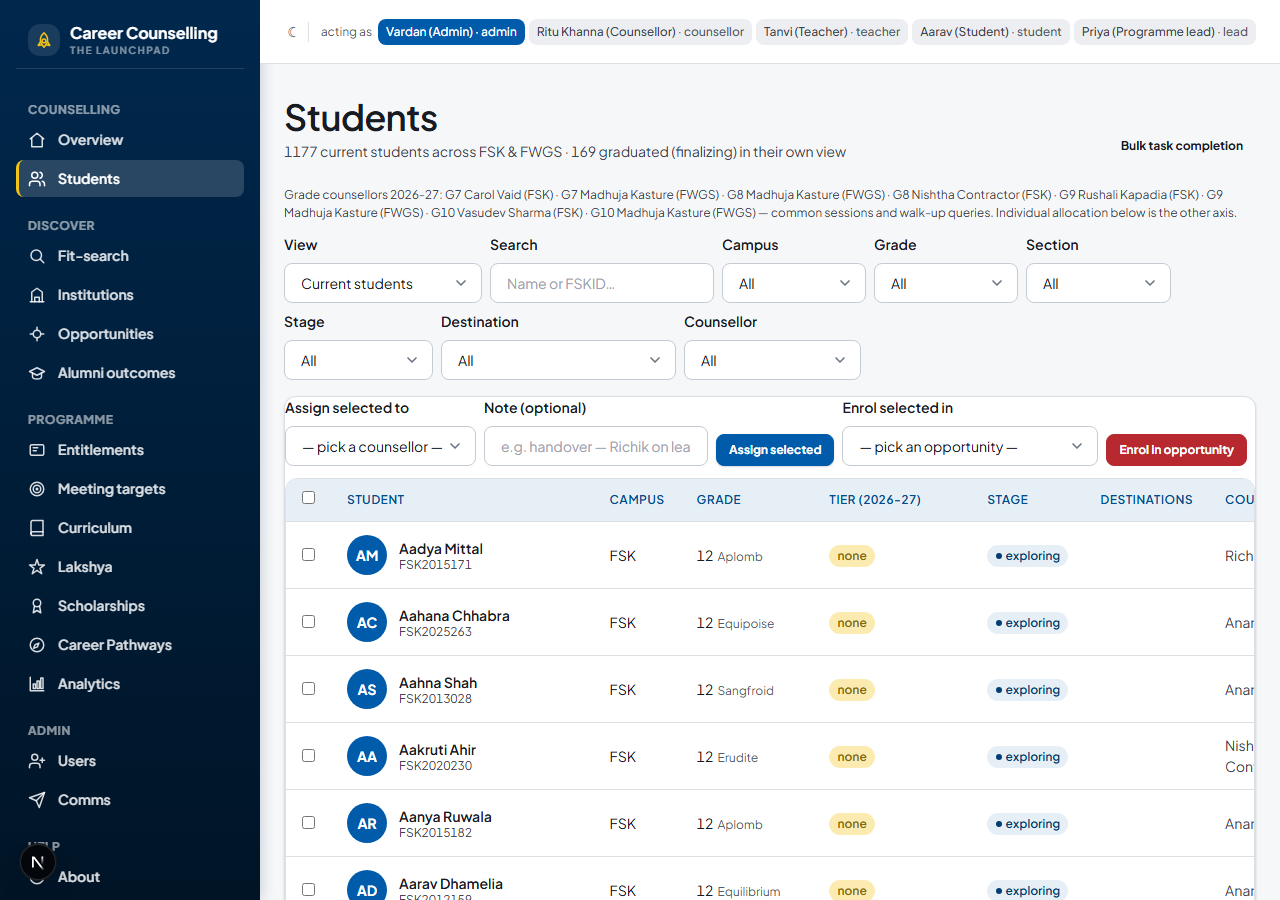
Students is the roster. Search by name or FSK id, or filter by campus, grade, section, stage, target country, or counsellor — pick the (none) counsellor filter to find students nobody owns yet. Graduated cohorts are hidden by default (they’ve moved to Alumni outcomes); switch the view to see them. Click a name to open their strand.
The strand overview
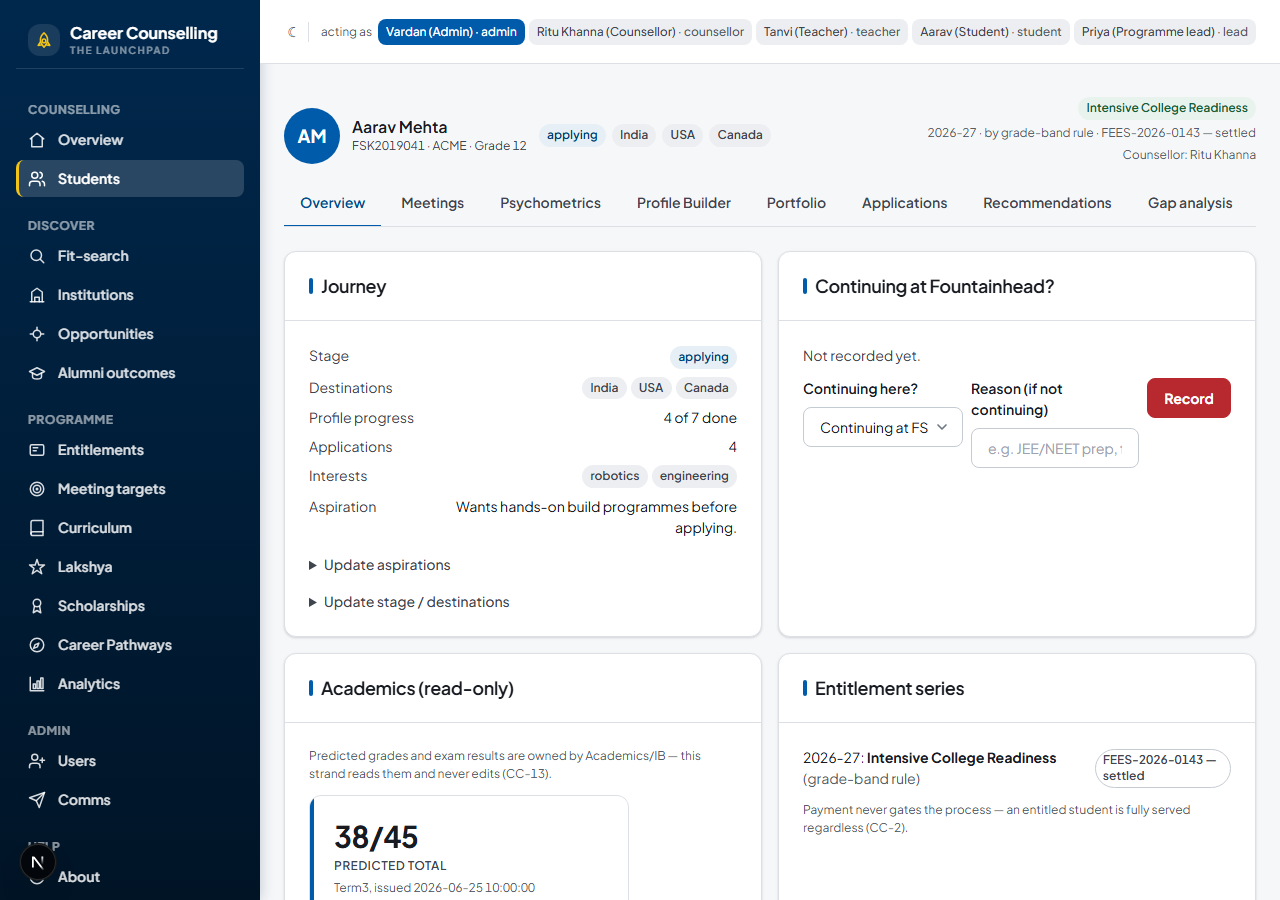
A student’s own page (/students/[id]) is the one-screen summary of their whole journey: stage (exploring → building profile → applying → outcomes → exited), target destinations, profile progress, how many applications are in flight, stated course interests, and the counsellor’s aspiration note. Once a placement is designated, it takes over the top of the page as the final destination.
Record a meeting
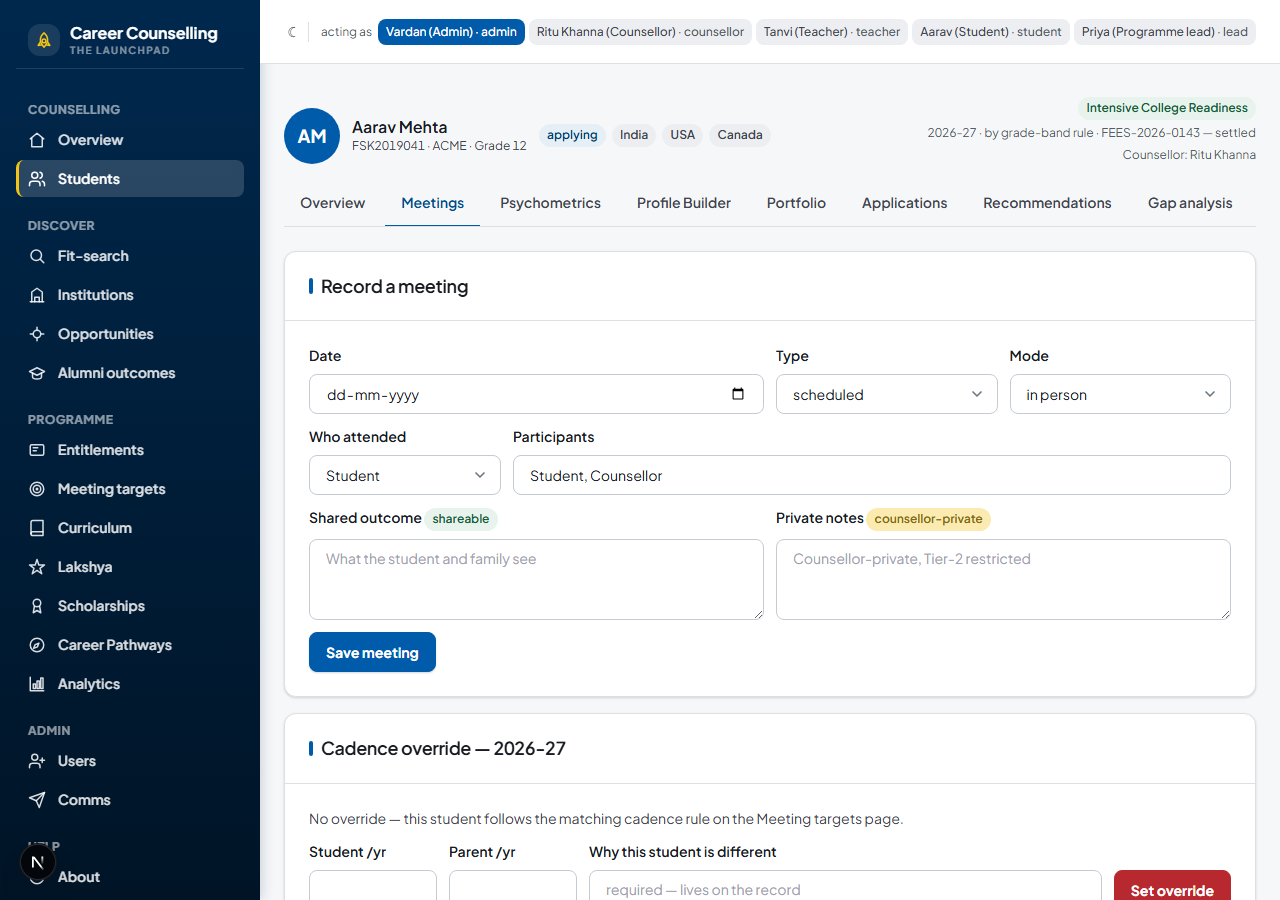
From a student’s Meetings tab: log the type, mode, and who attended. The shared outcome is visible to the student and parent; anything in the private notes field is counsellor-only. A student can request a meeting themselves — confirm or decline it from the same tab. Link a meeting to a curriculum task to close it out in one step.
Search for a fit, and build the portfolio
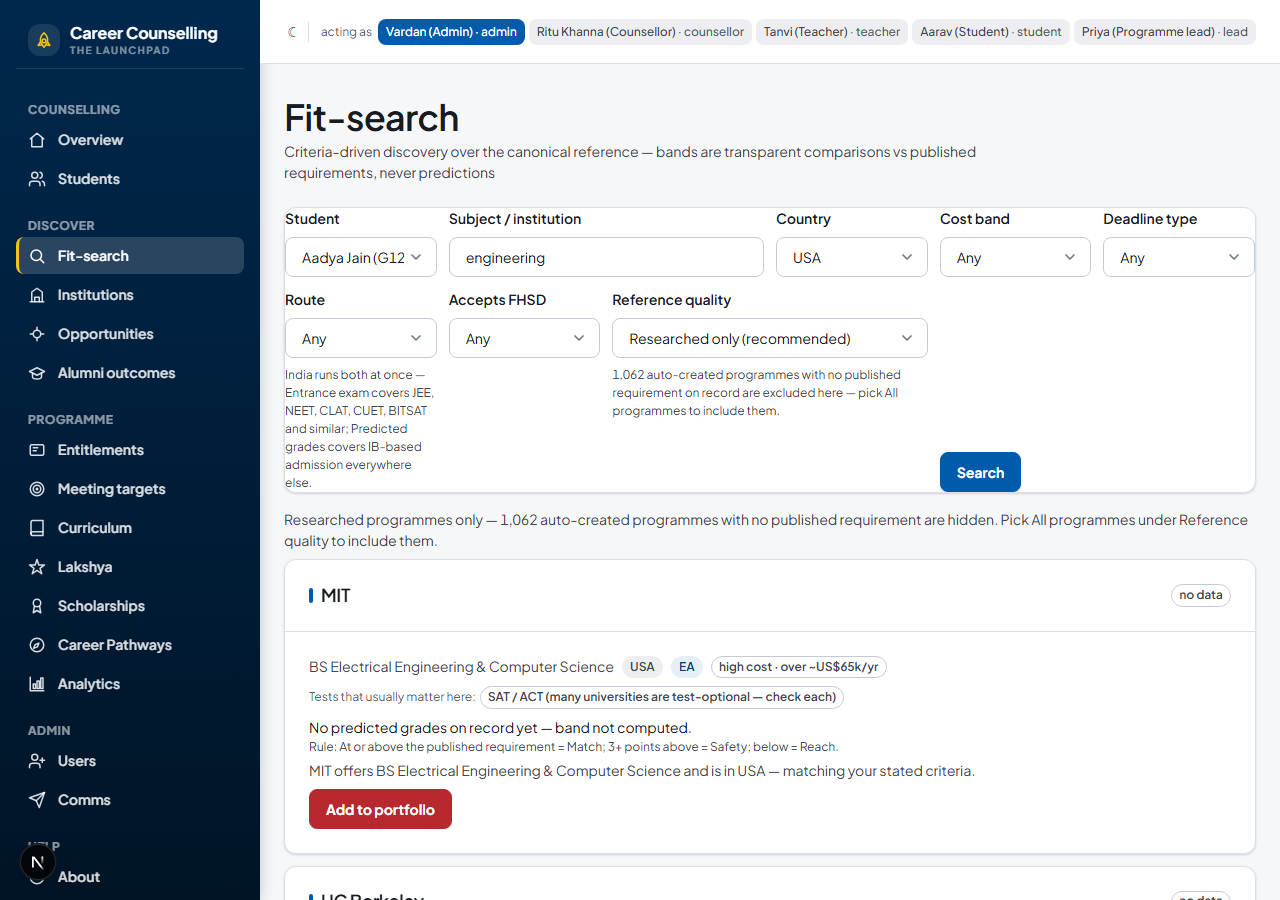
Fit-search takes real criteria (country, subject, cost band, deadline type, application route) and returns a Reach/Match/Safety band — always shown as transparent arithmetic against each institution’s published requirement, never a probability or a machine score. Add a result straight to the student’s portfolio from the results list.
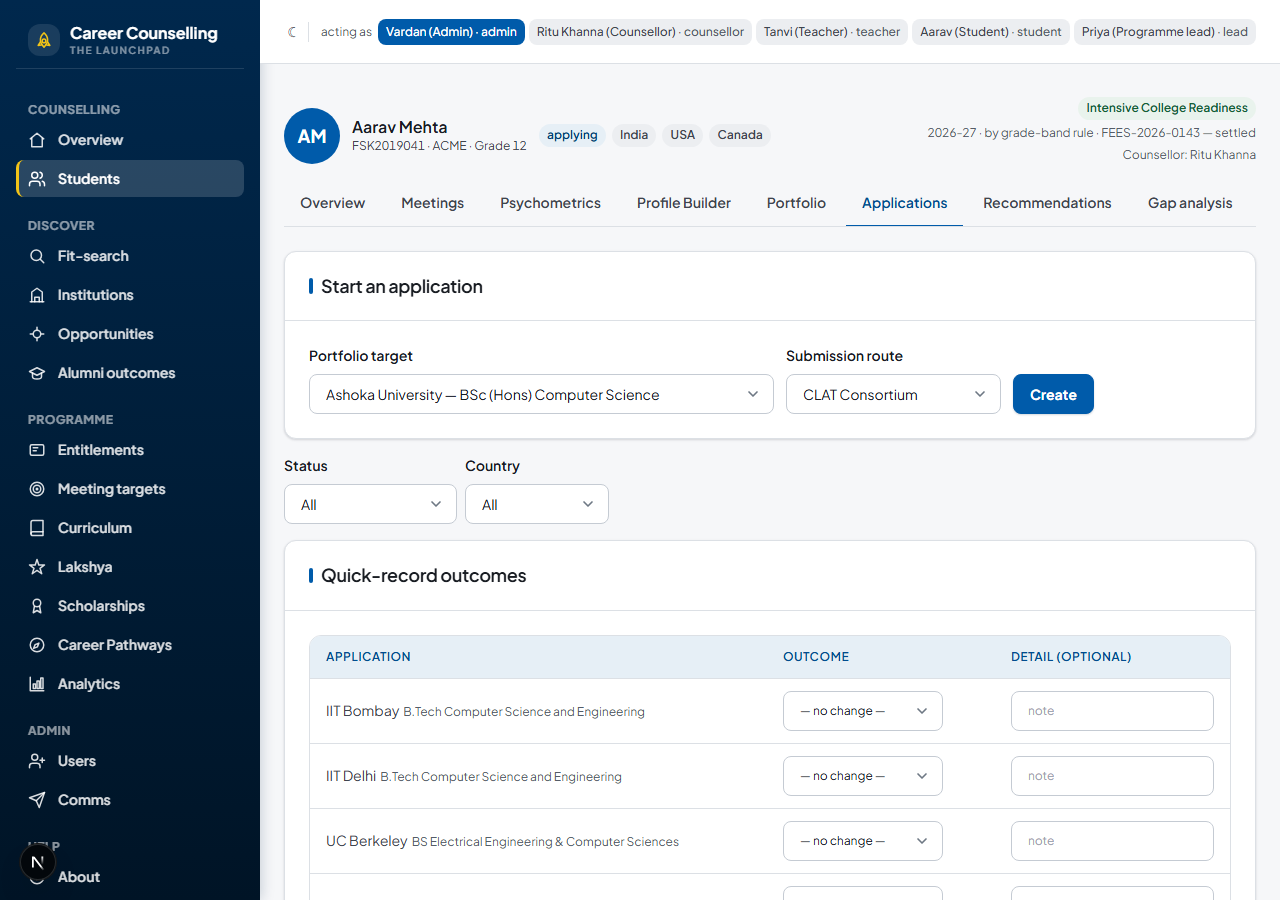
Applications, documents, and outcomes
On a student’s Applications tab, turn a portfolio choice into a real application, track document status (pending → requested → ready → submitted), and record an outcome as it comes in. Overseas submissions are gated on cross-border consent being on file. Once an offer is accepted, designating the Placement is the one deliberate act that marks a destination final — it’s never inferred automatically from an offer alone.
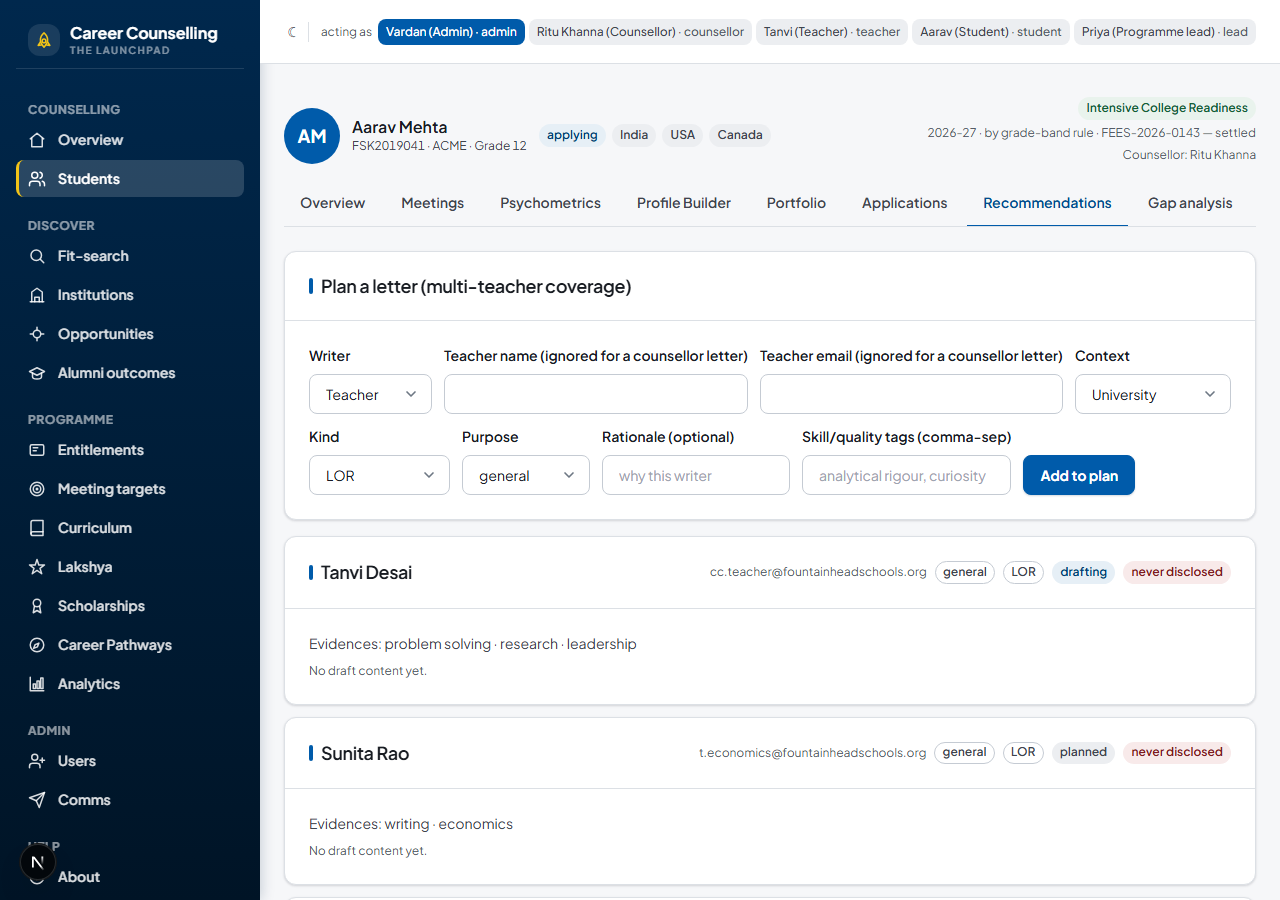
Recommendation letters
Requested from a student’s LORs tab: pick a writer (a teacher, or the student’s counsellor), the context (a university application or a Summer School), and the kind (a standard letter, or the UK’s single-reference format — each with its own slot cap, so nobody over-commits a writer). The student fills in a self-assessment first. Writers draft from My letters; content is never shown to the student or parent, at any point — see “Who sees what” below.
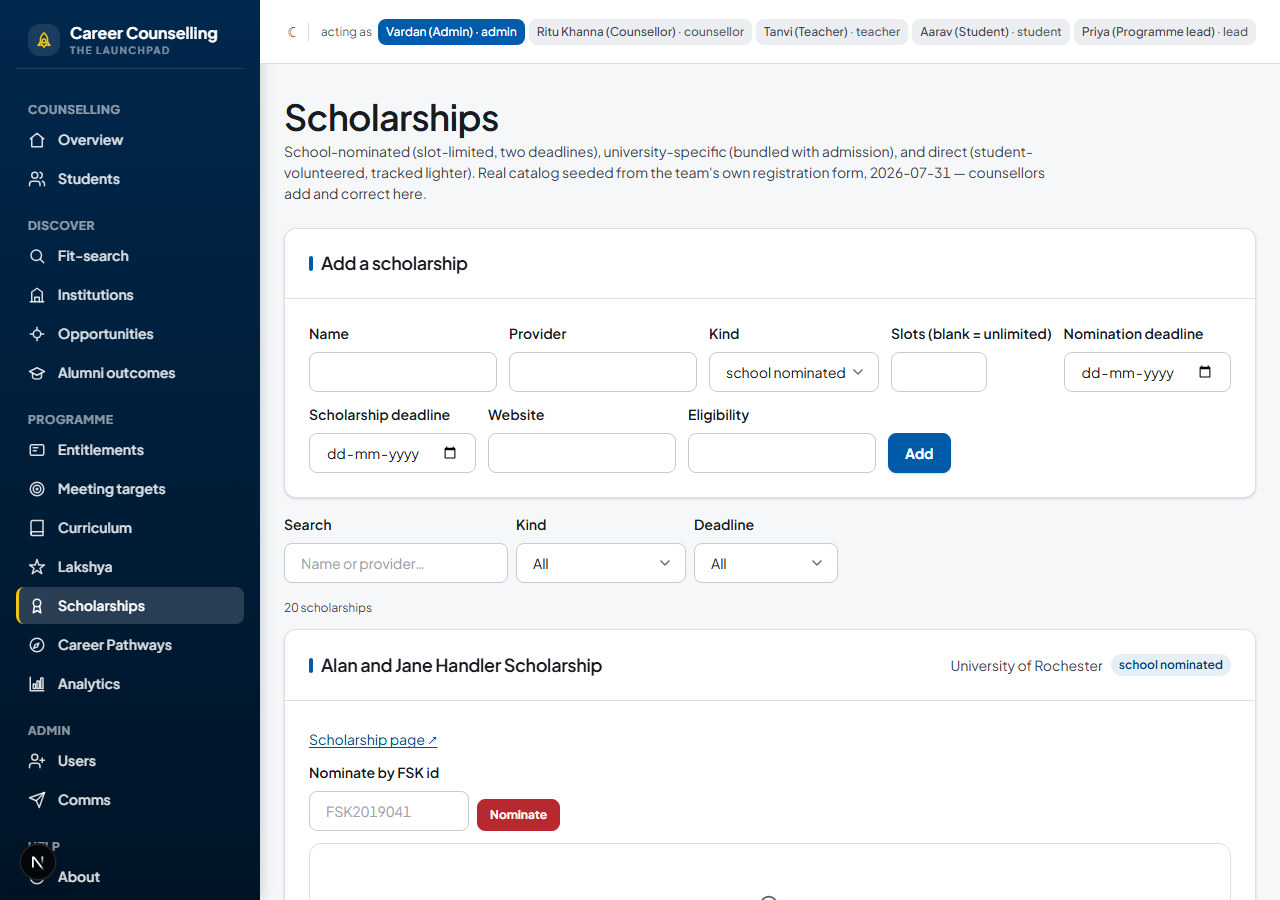
Scholarships
Scholarships is the catalog: add one with its deadlines and slot limit, then nominate a student by FSK id (school-nominated and university-specific scholarships stay counsellor-initiated, and nominating past the slot limit is refused by name). A “direct” scholarship is the one kind a student can add themselves to, from their own view of the same page.
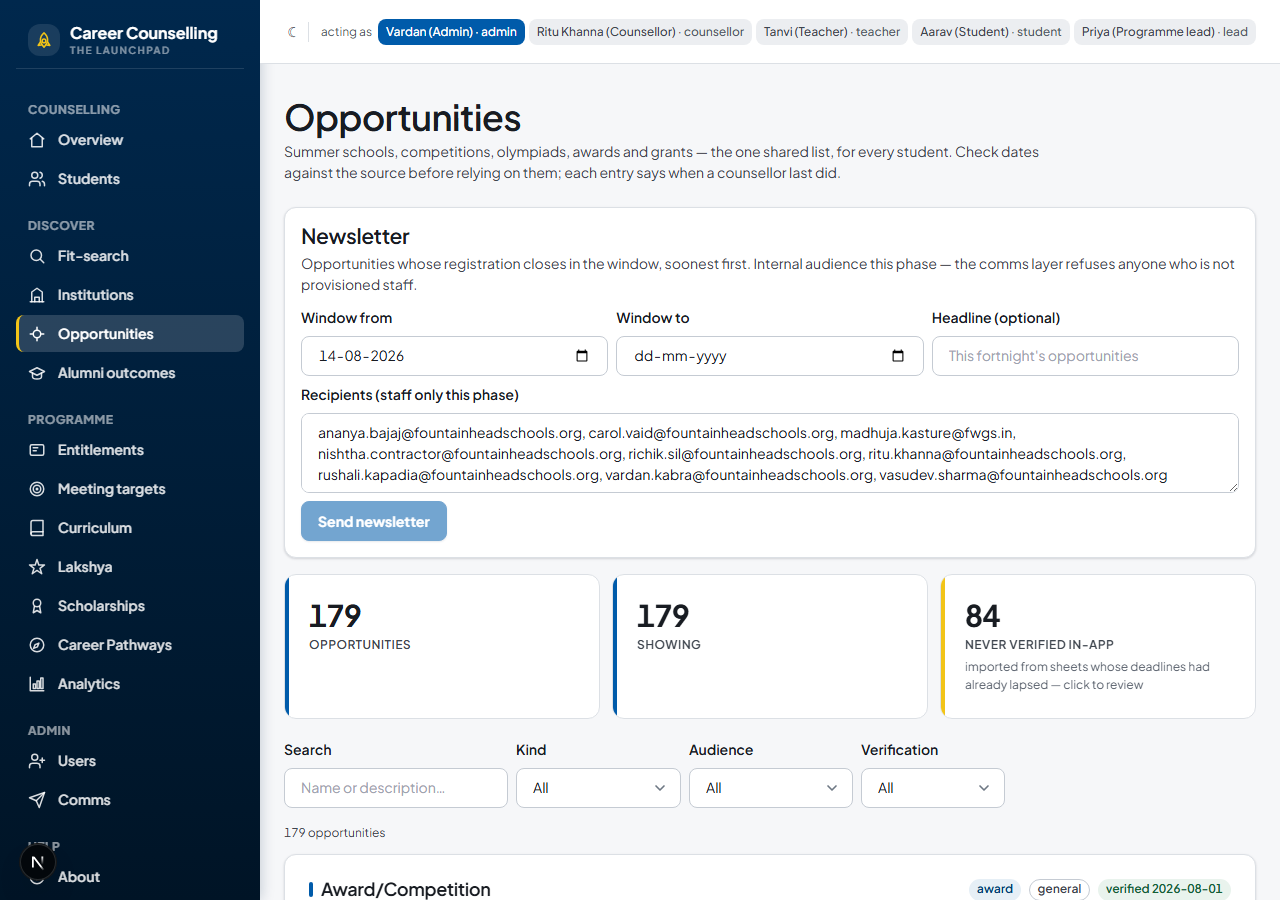
Opportunities
The shared summer-school and competition catalog, open to every student. Bulk-assign a cycle to a group from Students, or let students claim one themselves from Opportunities — either path feeds the same enrolment record.
Career Pathways Survey
There’s no separate “take the survey” form in the app — the live Google Form is still where students answer it. What changed: those responses now flow in automatically, feeding each student’s course interests and destinations on the strand overview. Career Pathways is the counsellor-facing report built from the same data — response coverage, the most common fields and destinations this cohort is naming, who’s using outside counseling, and a per-student table you can search or download as a CSV.
Meeting targets
Meeting targets turns the team’s own promised cadence into a live dashboard — every strand-holding student shown as behind, on track, or done against the rule for their grade. Set a per-student override for a genuine exception; it’s dated and reasoned, never a silent skip.
Reference
What it covers
- Service categories (per-campus CONFIG — the Launchpad tiers) + year-scoped entitlements
- One longitudinal strand per student: meetings, psychometrics, Profile Builder, portfolio
- India first-class: JEE/NEET/CLAT/CUET routes, exam-based requirements and counselling-round deadlines
- Applications with the counsellor-document-submission workflow, outcomes, and the placement capstone
- Recommendation letters with the never-disclose wall; the teacher composer
- The Final Report (A–K), assembled live from canonical records
- The de-identified aggregate lane with minimum-cohort suppression
Who sees what (CC-16 / CC-21)
| Level | Who | Examples |
|---|---|---|
| shareable | Student + parent + counsellor | Meetings’ existence & shared outcomes, tasks, portfolio bands with their arithmetic, own outcomes |
| counsellor-private | Counsellor (+ admin ops) | Meeting notes, follow-ups, gap analysis, the selection matrix, slot deliberations |
| never disclosed | Writing teacher + counsellor (+ the university) | LOR content & evidence — never the student or parent, ever; not even admin |
The AI posture
Everything here is deterministic and explainable: the Reach/Match/Safety band is transparent arithmetic comparing the student’s own number against each university’s published requirement (both always shown); gap analysis aligns the real record to targets’ published emphases with rule-based matching. No scattergrams, no admit-probability, no machine scores about a child — and no external LLM calls (the hosted-LLM drafting assistance of CC-24 waits on the governance gate).
Roles in this prototype
- counsellor owns strands — the full workspace including the interpretive layer
- teacher drafts and signs recommendation letters (their own only)
- student their own journey, factual layer only (the parent shares this view)
- lead the aggregate lane only — no individual strands, by construction
- admin ops + provisioning (but never LOR content)